Player Lite
One display up to 4K, video up to Full HD, network cable or Wi-Fi: the device for one display per location, such as a shop window, waiting area, or reception.
4 minute readDevicesUpdated: 10/25/2026
On this page
Before you start
- For
- anyone who unpacks, sets up, or replaces a Player Lite
- Prerequisite
- a TV or monitor with a free HDMI input and an accessible power outlet at the installation site
- Where in the portal
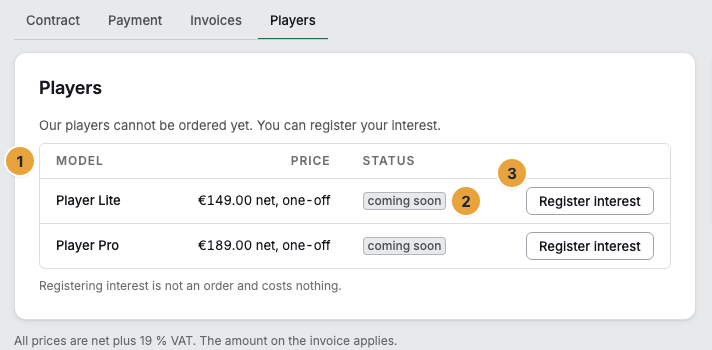
- Billing › Players
The Player Lite is the device for one display per location: shop window, waiting area, reception. The box contains the player, power supply, and HDMI cable. The device is mounted behind the TV or monitor in a dry indoor space, and the type and serial number are on the label on its underside.
What you need in front of you
- The Player Lite (type
SZP-L1) in an aluminum case. The memory card is already inserted, and SzeneraOS is preinstalled. - The USB-C power supply that comes with it, 27 W with a Euro plug.
- The HDMI cable that comes with it, Micro-HDMI to HDMI, 1 m or 2 m.
- The insert from the box.
- A TV or monitor with a free HDMI input. A retail TV is enough.
- A network cable or the credentials of your Wi-Fi.
You never need an input device: Keyboard and mouse stay in the cabinet.
What the device delivers
| Feature | Player Lite |
|---|---|
| Based on | Raspberry Pi 5, 2 GB of memory |
| Storage | 32 GB |
| Displays per device | One, up to 4K |
| Video | Up to Full HD (1080p) |
| Orientation | Landscape or portrait, 0, 90, 180, or 270 degrees |
| Network | Network cable or Wi-Fi |
| Display control | On and off over the HDMI line, brightness over the data line |
| Operating system | Its own system, signed updates with a way back |
| Scope of delivery | Player, power supply, HDMI cable |
| Warranty | 12 months |
Full HD is the default. 4K is unlocked with the Pro package and above. A mount, cable ducts, and installation on site are not included.
What it is meant for
- One display per location.
- Shop window, waiting area, reception, in a restaurant as well as in a medical practice or a clubhouse.
- Images, texts, web content, and video up to Full HD.
- Round-the-clock operation.
If you need two displays on one device or video in 4K, the Player Pro is the suitable model.
Set up and operate safely
Place the player in a dry indoor space, behind the TV or monitor or on the wall, at a spot that customers and visitors cannot easily reach. Leave room for air around it and route the cables so that nobody can trip over them and the plugs are not under strain. The power outlet must stay accessible: The power supply is the means of disconnecting the device from the mains.
Caution: Operate the device only with the power supply that comes with it. A weak power supply or a cable that is too long causes throttling: The picture stutters without any error being reported.
Caution: The case gets warm during operation. That is normal, because it is the heat sink. Do not cover the player and do not put it in enclosed furniture without ventilation.
Caution: The permitted range is 0 to 40 °C in a dry environment. Keep liquids away from the device and power supply, do not open the case, and do not keep using a damaged power supply. The device is intended for commercial use and not for children.
Find the type and serial number
A label is stuck to the underside of the case. It names the trade name, the type SZP-L1, and the serial number in the form 26-L1-0001. The same number is on the box and on the delivery note. Support asks for it, so write it down before you hang the player on the wall.
If something goes wrong
| Symptom | Meaning | Solution |
|---|---|---|
| The TV or monitor stays black | Cable, input selection, or power | Cable into the HDMI 0 socket next to the power connector, select the right input on the TV or monitor, check the power supply, wait a minute. See Unpack and connect. |
| Six empty tiles instead of a code | The player has no internet yet | Check the network cable or Wi-Fi. See Connect to the network. |
| The portal says Power supply throttling | The power supply is too weak or the cable is too long | Use the power supply that comes with it. |
| The device fails | Every player comes with a 12-month warranty | Write to support. Content, schedules, and settings are in the platform: A replacement device is paired in a minute and shows again what the display showed before. |
Related
Found what you needed? Then carry on in the portal — or set up an organization first.
Go to the portalTry it free